Sharing a Document
Last updated: July 7, 2025
Objective
Learn how to effectively share and distribute your Document Crunch files with team members and stakeholders.
Background
Document Crunch offers two methods for distributing your documents: electronic sharing for collaboration and PDF downloads for external use.
Sharing Options
Electronic Sharing
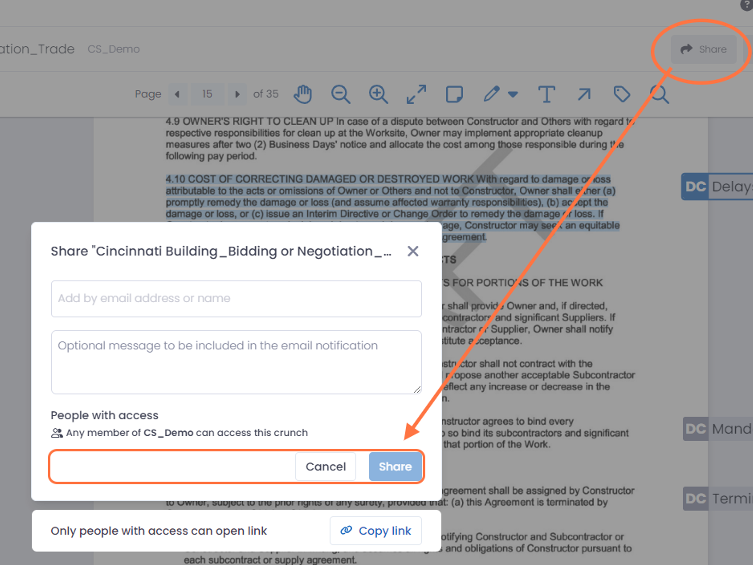
To share your document electronically:
Locate the Share button in the top-right corner
Enter recipient email addresses
Recipients will receive an email containing a secure document link
Recipient Capabilities:
Access shared documents
View and edit the checklist
Create and edit markups
Use the chat feature with the document
Recipient Restrictions:
Cannot forward documents to others
Cannot create new crunches
Cannot access other documents in your account
Download Your Document
Click the download button in the top-right corner.
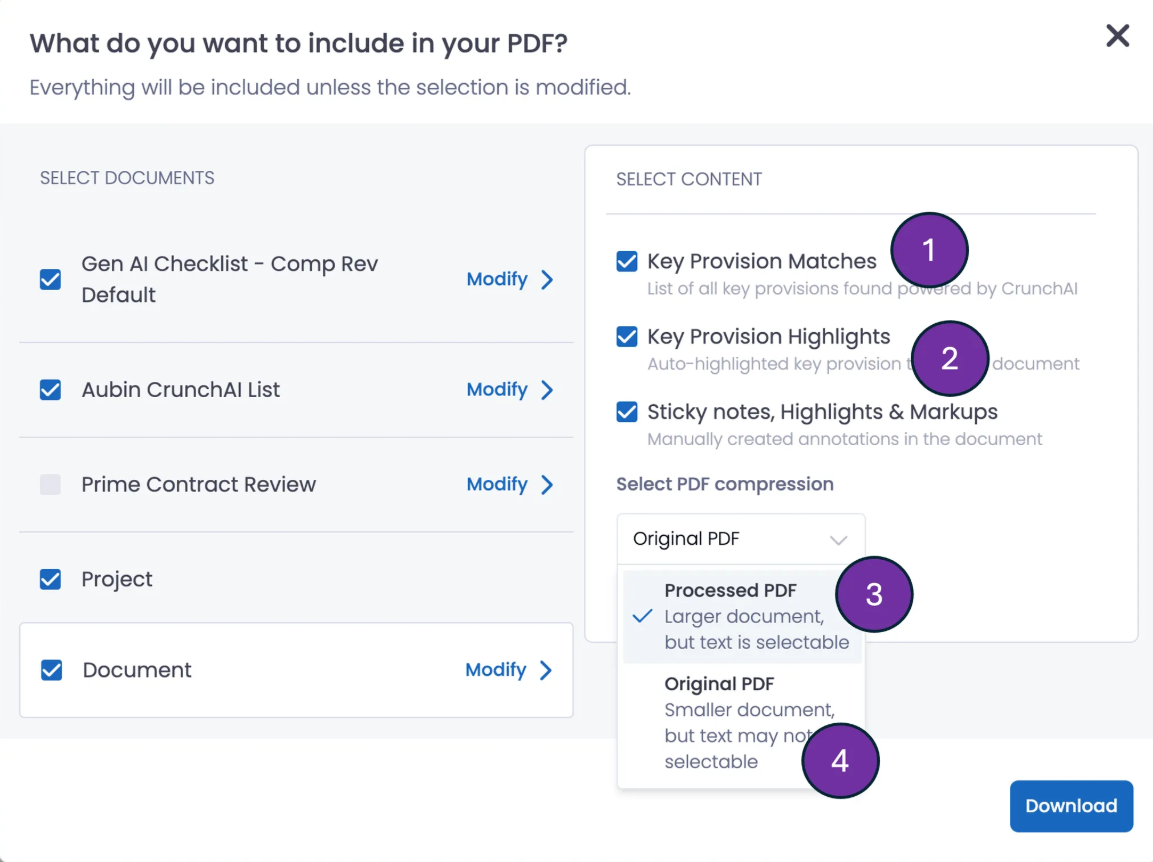
Customize your download. Select content you’d like to include using new configuration checkboxes. Options include:
Choose the status items and data fields you’d like to include from your Checklist.
Next, choose what content from the document you’d like to include:
Key Provision Match links
Highlights in the document of where those Key Provisions appear
Choose PDF Compression Type:
Processed PDF: This will allow the PDF to have selectable text, regardless of the original document uploaded. However, processing times will be long to create the bigger file.
Original PDF: Shorter processing time, ideal for attaching to an email. This will be the same file type as the document that was originally uploaded, therefore, it may not have selectable text.