March 2025 Releases
Last updated: March 31, 2025
3/24/2025
Commenting and Collaboration for Checklists
What's New?
-
Commenting and Collaboration for checklists: Transform your contract reviews with our new integrated commenting system
-
Adding and Managing Comments: Navigate to any checklist item
and add comments directly within the item. Support for rich text,
emojis, and @mentions makes communication clear and engaging.
You can also modify or delete your own comments via the dropdown
menu - perfect for when autocorrect turns your "contractual
concerns" into "contractual clowns." -
Engaging in Discussion: Reply to existing comments to keep
conversations organized and on-topic. Thread-based discussions on
a checklist item ensure nothing gets lost in the shuffle. -
@Mentions & Tagging: Type "@" followed by a teammate's name
to notify them about specific issues or questions. They'll receive
both in-app and email alerts.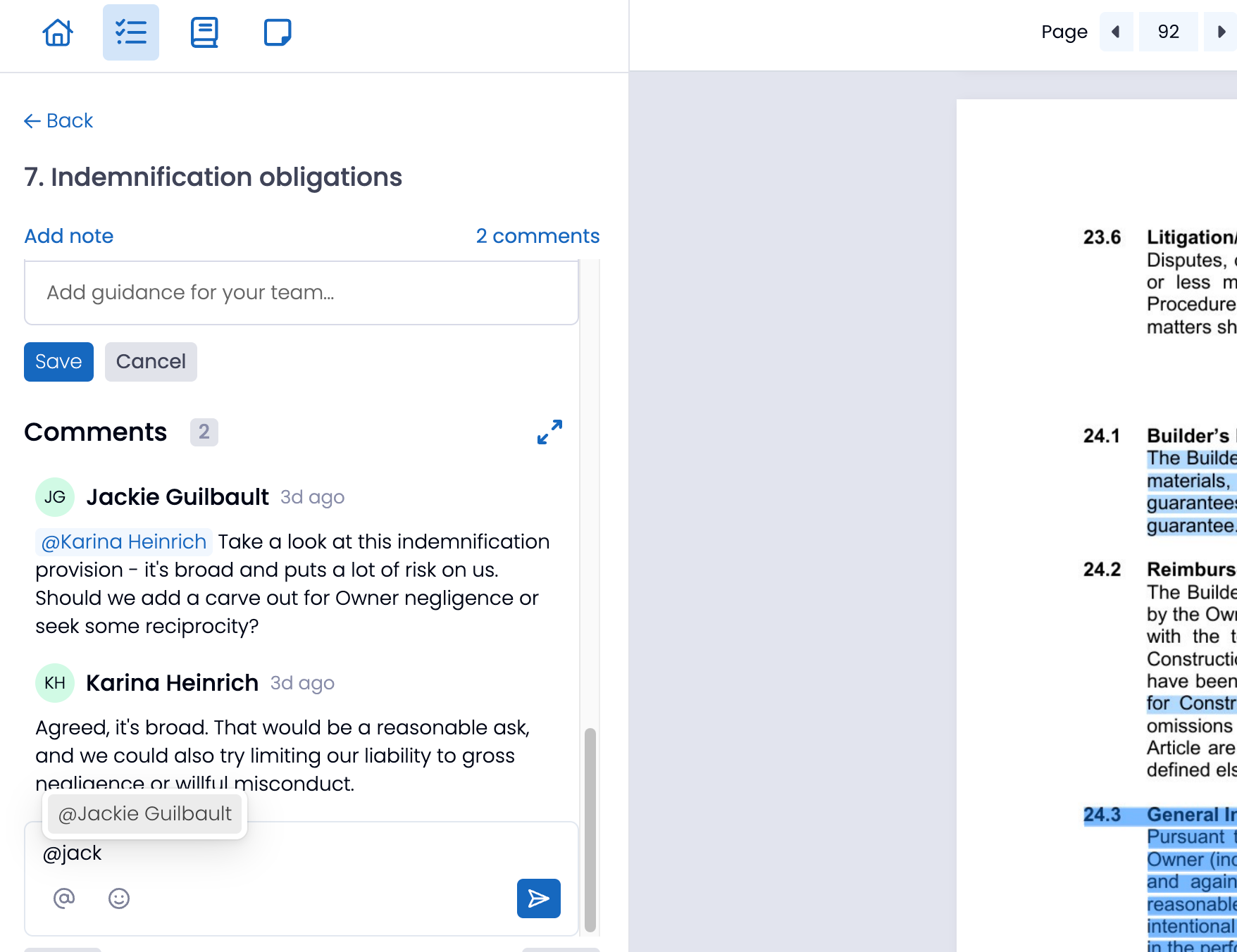
-
-
New Notification System: Stay on top of important conversations
-
Notification Panel: Access all your unread mentions and replies in
one convenient location -
Visual Indicators: Red dot indicators on the home screen checklist
widget let you know when new comments require your attention. -
Email Notifications: Receive alerts even when you're not in the
app, ensuring you never miss critical discussions.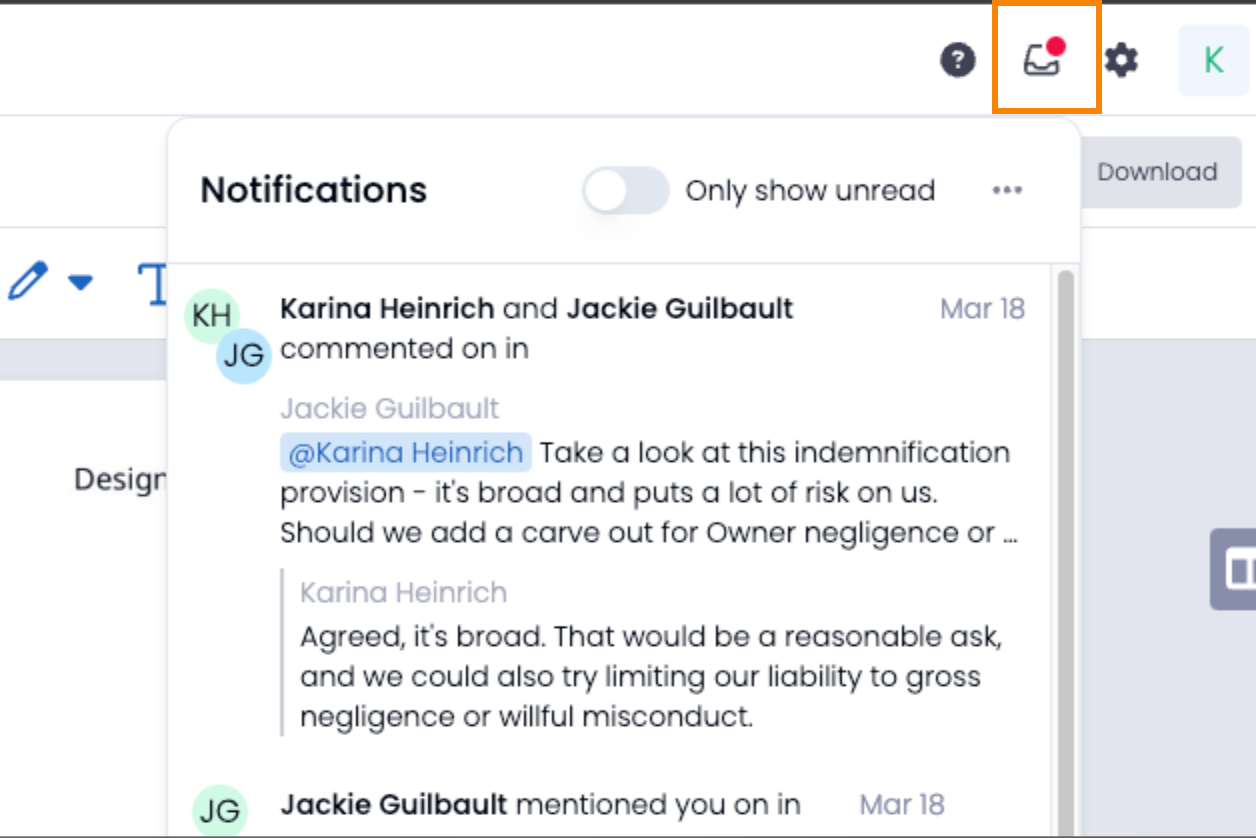
-
-
Internal Linking: Reference related documents or checklist items
directly within your comments, creating a web of connected knowledge-
Faster Decision-Making: Instantly tag teammates and keep
discussions in one place within the relevant Checklist item. -
Reduced Risk Exposure: Ensure contract risks are properly
discussed, flagged, and resolved before they become issues. -
Greater Accountability: Maintain a transparent record of all
conversations and decisions. -
Seamless Integration: Works directly within Document Crunch
Checklists, eliminating the need for external tools.
-
We appreciate your continued support and feedback. If you encounter any issues or suggestions for improvement, please don't hesitate to reach out to our support team at support@documentcrunch.com.
3/19/2025
Citation Highlighting - Checklists and Chat
What's New?
-
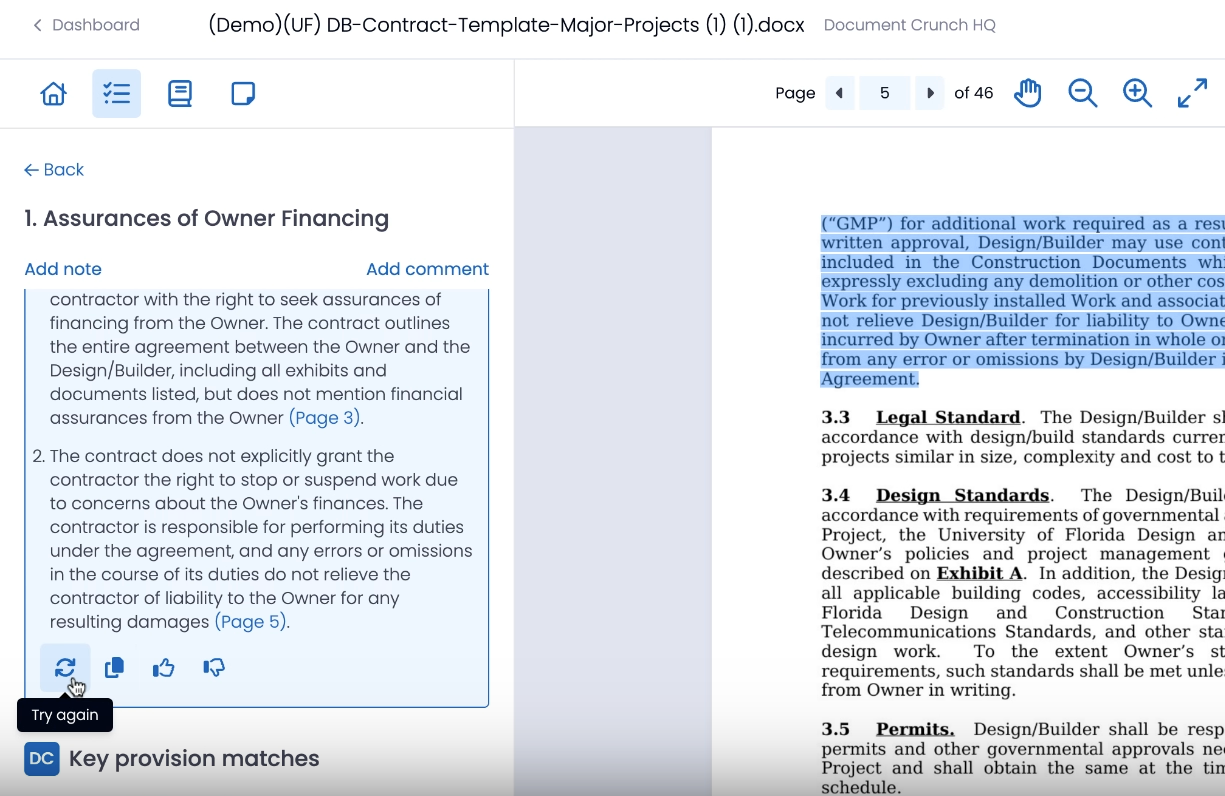
Performance Enhancements: When a user clicks on a page number reference in a checklist AI summary or a chat response, the system will highlight relevant text in the crunch, making it easier to focus on key information. This feature includes the following pieces:
-
Chat response citations: When engaging with the chat function on a crunch, click on the page citation in the chat response to see the page and highlighted text on your document. Additionally, if the document contains strike-thru "redlined" text, the chat will understand what that means and provide more accurate responses with that context taken into account.
-
Checklist summary citations: Within the AI summary of your checklist, click on the page citation to see the highlighted section of what is being referenced.
-
Individual checklist item “Try again” option: should your AI summary wind up giving you an incomplete answer or shortened response, you can click the refresh button to regenerate the result.
-
We appreciate your continued support and feedback. If you encounter any issues or suggestions for improvement, please don't hesitate to reach out to our support team at support@documentcrunch.com.