Trimble ProjectSight Integration
Last updated: July 8, 2025
Background
The Document Crunch integration with Trimble ProjectSight eliminates the manual process of downloading playbooks and risk/compliance checklists from Document Crunch and re-uploading them into ProjectSight. This streamlined workflow allows construction project teams to export Crunches directly from Document Crunch into ProjectSight, consolidating all contract-related documents in a single location and ensuring everyone works with the latest versions.
Things to Consider
The integration will need to be enabled by Document Crunch Support. Users can request for this feature to be turned on by emailing support@documentcrunch.com
Your access within ProjectSight will be governed by your current Trimble permissions
The current release supports exporting from Document Crunch to ProjectSight only; two-way sync may be available in future updates
This integration supports exporting Playbook details or Checklist details
Steps
Open either a Playbook or Checklist crunch from your dashboard
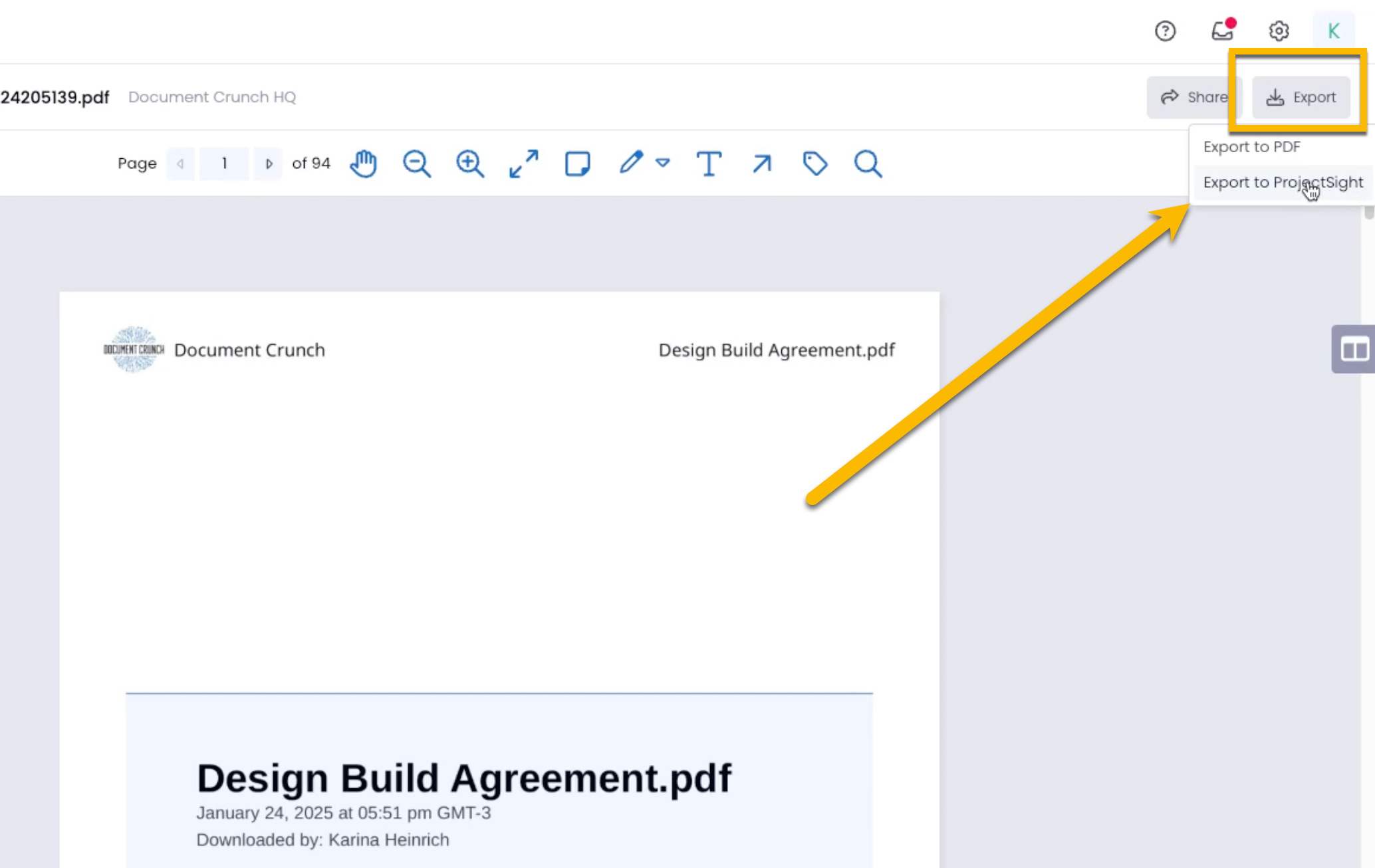
Click the Export button at the top right corner and select Export to ProjectSight
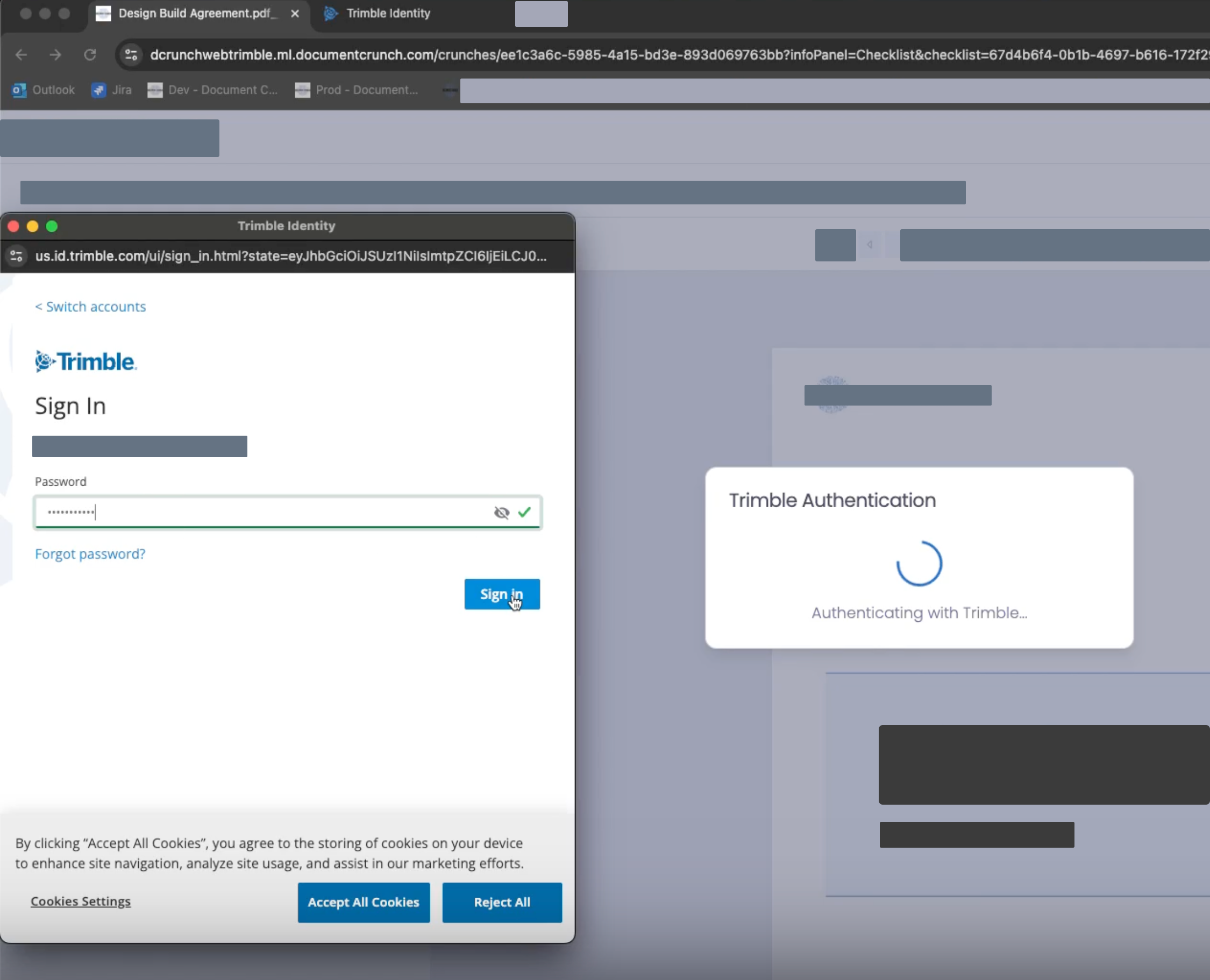
Complete the OAuth login for Trimble (required on first use or when authentication token expires). Your credentials will be securely stored for future use.
Once the ProjectSight export window appears, select which checklists you would like included in your export as well as which portfolio, project, and contract within ProjectSight will be the end destination.
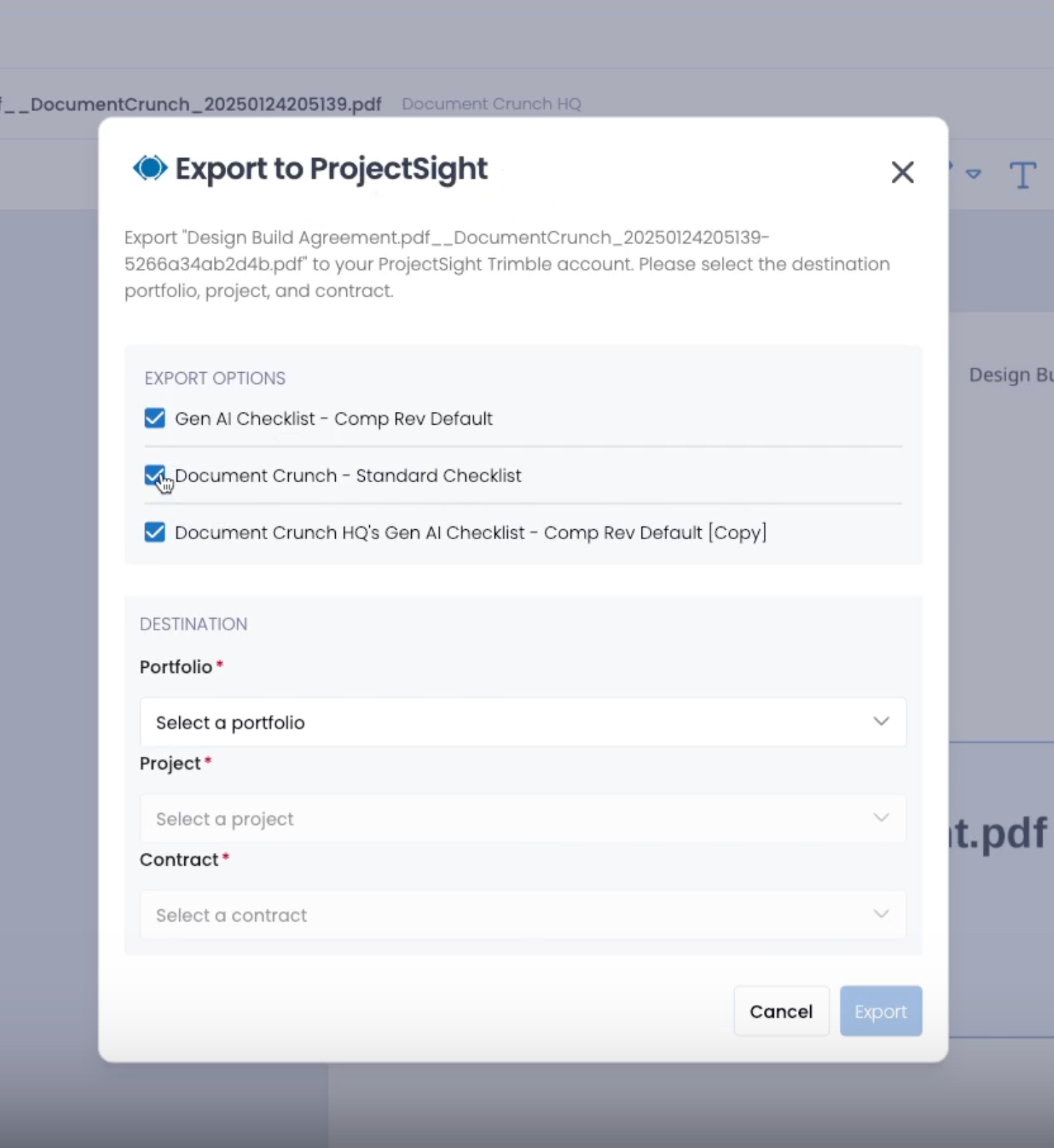
Click the blue Export button once all required fields are completed.
The system will provide clear feedback with either a success message or error details
On successful upload, your artifact will appear in Trimble ProjectSight at the selected destination
NOTE: Uploading a revised document will replace the previous version
Troubleshooting
If your export fails:
Read the error message carefully (authentication, permission, or system error)
Retry the export after resolving the issue or re-authenticating as prompted
Contact support at support@documentcrunch.com if the problem persists